Choosing a PaaS provider is a bit like hiring someone. The resume looks good, but the answers to a few honest questions tell you much more. This checklist gives you 15 questions you can send to any provider, plus what a good answer looks like.
Quick answer: Before choosing a PaaS platform, ask 15 questions across six areas: fit (stack, databases, deployment), security (encryption, access, backups), performance and reliability (scaling, uptime, status history), data (location, export), support (response, migration help) and cost and exit (pricing clarity, leaving the platform). Ask in writing and compare answers side by side.
New to PaaS? Read our guide on what is PaaS first.
How to Use This Checklist
Copy the questions into a document. Send them to every provider on your shortlist. Score each answer as clear, partial or missing. A provider that answers plainly and quickly is usually a good sign. A provider that avoids questions is also telling you something.
Part 1: Fit for Your Application
1. Which languages, frameworks and versions do you support?
Good answer: A clear list with current versions and a policy for updates. You can see how we list supported environments on our application hosting page, including PHP hosting and Laravel hosting.
2. Which databases do you offer, and are they managed?
Good answer: The exact engines you use, with backups and updates handled. Our managed databases include MySQL hosting, PostgreSQL hosting, MariaDB hosting and MongoDB hosting.
3. How do I deploy, and what tools do I get?
Good answer: Git based deployment, clear logs and an easy way to roll back a bad release.
Part 2: Security
4. How is my data protected in transit and at rest?
Good answer: Specific details about encryption, not general promises.
5. How do you handle access control and logins?
Good answer: Role based access and multi-factor login.
6. How are backups handled, and how do I restore?
Good answer: Clear schedule, retention period and a restore process you can test.
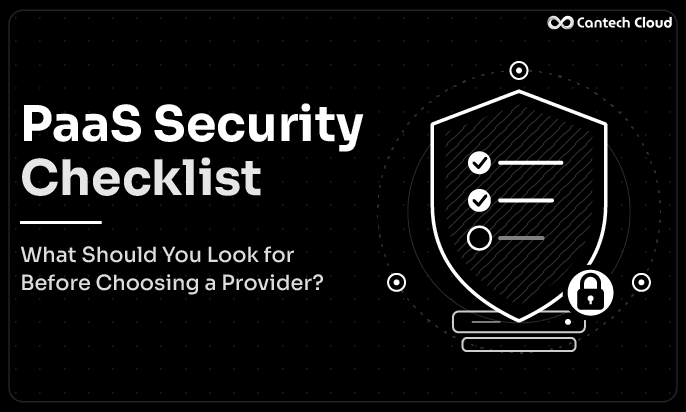
For a deeper look at these three, read our PaaS security checklist.
Part 3: Performance and Reliability
7. How does scaling work, and what is automatic?
Good answer: A clear explanation of what scales on its own and what needs your action.
8. What uptime do you commit to, and what happens if you miss it?
Good answer: Written terms that explain how uptime is measured and what remedies exist. Do not rely on a headline number.
9. Do you have a public status page and incident history?
Good answer: Yes, with honest explanations of past issues.
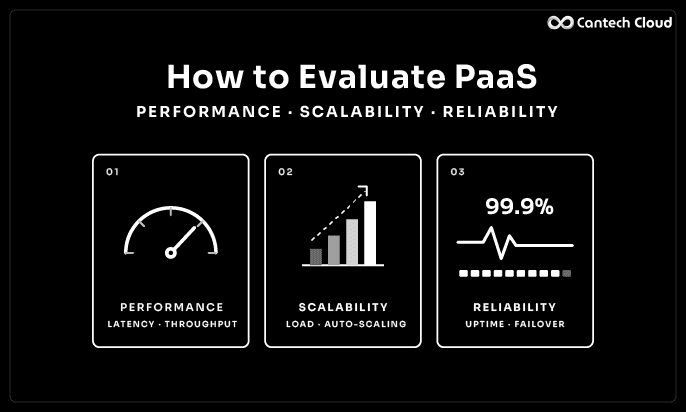
To learn how to test these, see our guide on how to evaluate PaaS performance, scalability and reliability.
Part 4: Your Data
10. Where is my data stored?
Good answer: A named country and data centre, with a promise to tell you about changes.
11. Can I export my data and code at any time?
Good answer: Yes, with a simple process and no hidden fees. This also keeps you safe from being locked in.
Part 5: Support
12. How do I reach support, and how fast do you usually reply?
Good answer: Clear channels and honest response times.
13. Do you help with migration from my current setup?
Good answer: Yes, with real steps and a contact person. A smooth start saves weeks.
Part 6: Cost and Exit
14. How does pricing work, and what happens when I grow?
Good answer: A plain explanation of plans, usage and what is included. You can see how our plans work on the PaaS pricing page.
15. What happens if I leave?
Good answer: A clear exit process, including data export and confirmed deletion.
A Simple Scoring Table
| Question group | Questions | Weight for most teams |
| Fit | 1 to 3 | High |
| Security | 4 to 6 | High |
| Performance and reliability | 7 to 9 | High |
| Data | 10 and 11 | Medium |
| Support | 12 and 13 | Medium |
| Cost and exit | 14 and 15 | Medium |
Change the weights for your own project. A store that handles payments may weigh security higher. A small blog may weigh price and ease higher.
A Real-World Example
Picture a three person software team building a SaaS product on Laravel. They shortlist three providers and send the 15 questions. Within two days, one provider replies with detailed answers and offers a call. A second replies with a generic brochure. The third does not reply.
The team scores the answers and sees that the first provider is clear on backups, data location and exit. They run a small trial, deploy a copy of the app and raise a support ticket to test response time. The result matches the written answers. They choose with confidence. The brochure did not win. The honest answers did.
Questions to Ask Your Own Team First
A checklist works best when you know your own answers before you talk to anyone. Spend ten minutes with your team on these:
- What is the busiest day we expect this year, and how much more traffic will it bring?
- How long can we afford to be offline before it hurts the business?
- Who will manage the platform day to day, and how much time can they give it?
- Do we handle personal, payment or other sensitive data?
- Which parts of our app are hard to move, such as special software or unusual settings?
Your answers decide how much weight each question group deserves. A team with no infrastructure specialist should weigh support and migration help more heavily. A team that handles customer payments should weigh security first.
How to Follow Up on Vague Answers
Providers sometimes reply in a way that sounds fine but says little. Here is how to dig a little deeper without being rude:
- If they say “we are very secure”: ask what exactly is encrypted, who can access it and how you can verify it.
- If they say “we scale automatically”: ask what triggers scaling, how long it takes and what the limits are.
- If they say “we have great uptime”: ask for the written uptime terms and the incident history.
- If they say “migration is easy”: ask who does the work, what the steps are and how long it usually takes.
- If they say “pricing is simple”: ask for an example bill for your expected usage, and one for a traffic spike.
A good provider will not mind these follow ups. They are the questions their best customers ask.
What to Do After You Get the Answers
- Put all answers side by side in one table.
- Mark anything unclear and send one more round of questions.
- Pick your top two providers.
- Run a short trial on both with a copy of your real app.
- Check that the trial results match the written answers.
- Decide, and keep the written answers in case you need them later.
Red Flags to Watch For
- Answers that avoid the question
- Marketing words with no detail
- No status page or incident history
- No way to export your data
- Pressure to sign quickly
- Pricing that is hard to understand
Is PaaS the Right Model at All?
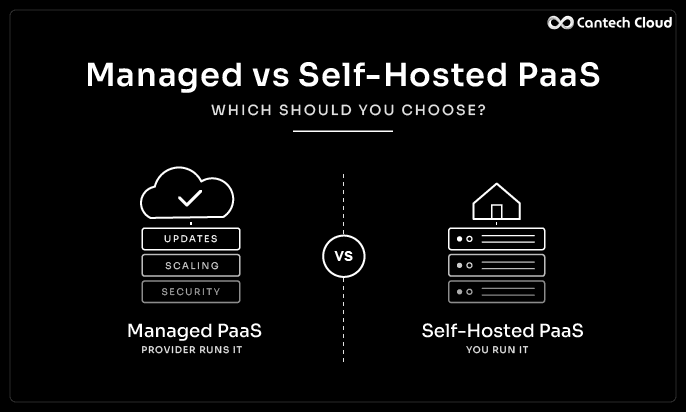
Sometimes this checklist will show that another model fits better. A VPS or dedicated server can be the right call for custom or steady workloads, and many businesses use both. Read our posts on PaaS vs VPS and PaaS vs dedicated servers to compare.
Where to Go Next
This list gives you the questions. To build the full decision process around them, read our guide on how to choose a PaaS platform. To compare capabilities, see our list of 10 PaaS features to look for.
Final Thoughts
A good PaaS decision does not need a long meeting. It needs 15 honest questions, written answers and a short trial. Providers that welcome questions are usually the ones worth trusting.
Want to run this checklist on us? Explore our PaaS platform or speak to our team.
Frequently Asked Questions
What should I ask a PaaS provider before signing up?
Ask about stack support, databases, security, scaling, uptime terms, data location, support, pricing and how to leave.
How many providers should I compare?
Two to four is usually enough. More than that makes decisions slower without adding much clarity.
Is the cheapest PaaS provider the best choice?
Not always. Support, reliability and exit options often matter more than a small price difference.
Should I ask questions in writing?
Yes. Written answers are easier to compare and give you a record.
Can I switch providers later?
Usually yes, especially if your app uses common stacks and you can export your data.
How long should a trial be?
Long enough to deploy a real app, test a restore and raise a support ticket.