There are many PaaS platforms, and they all promise speed, scale and simplicity. So how do you pick one without regret? The trick is to start with your own needs, not the provider’s brochure.
Quick answer: To choose the right PaaS, define your app and team needs first, check that the platform supports your stack and databases, compare scaling, security, support and pricing, test it with a small project, and make sure you can move away later if needed. The best PaaS is the one that fits your app, your team and your budget, not the one with the longest feature list.
New to the topic? Start with our guide on what is PaaS.
Step 1: Write Down What You Actually Need
Before you look at any provider, answer a few simple questions:
- What kind of app are you building? A website, an API, a SaaS product, a store?
- Which language and framework do you use?
- Which database do you need?
- How much traffic do you expect now, and in a year?
- Who will manage the platform day to day?
Keep this list. You will use it to judge every option.
Step 2: Check Stack and Database Support
A platform is only useful if it runs your app. Check that it supports your language and framework. On our side, you can see supported environments on our application hosting page, including PHP hosting and Laravel hosting.
Then check databases. Look for the engine you use, and ask whether it is managed. Our managed databases include MySQL hosting, PostgreSQL hosting, MariaDB hosting and MongoDB hosting.
Step 3: Look at Scaling and Performance
Ask how the platform handles growth. Can it add resources when traffic rises? Can you scale back down? Is performance steady? If you want to understand what goes on underneath, read our guide on PaaS architecture.
Step 4: Check Security and Reliability
Look for basics such as firewalls, secure connections, regular patching and backups. Ask about uptime promises and where the data lives. Always read the exact terms from the provider rather than relying on marketing words.
Step 5: Think About Support
When something breaks at a bad time, support matters. Ask how you can reach the team, how fast they usually reply and whether they can help with migration. A friendly, knowledgeable team can save you days.
Step 6: Compare Pricing the Smart Way
Do not only compare the headline price. Think about what is included, how billing works, what happens when traffic grows, and how much team time you save. You can see how our plans work on the PaaS pricing page.
Step 7: Check Storage Needs
If your app handles uploads, documents or media, check the storage options. Our file storage and wider storage services work with the platform.
Step 8: Plan for the Future
Ask what happens if you outgrow the platform. Can you export your data and code? Are you locked into special tools? A good provider makes it easy to leave, which is a sign of confidence.
Step 9: Test Before You Commit
Run a small project or a copy of part of your app. See how deployment feels, how fast support replies and how the platform behaves under a little load. A short trial teaches more than a long sales call.
A Simple Scorecard
Give each platform a score from 1 to 5 on these points:
| Area | What to check |
| Stack support | Does it run your language and framework? |
| Databases | Are the engines you use available and managed? |
| Scaling | Can it grow and shrink with traffic? |
| Security | Patching, firewalls, backups, secure connections |
| Support | Response speed and helpfulness |
| Pricing | Clear, fair and fits your usage |
| Exit plan | Easy to move data and code out |
The one with the best total, weighted by what matters most to you, is usually your answer.
Is PaaS Even the Right Model?
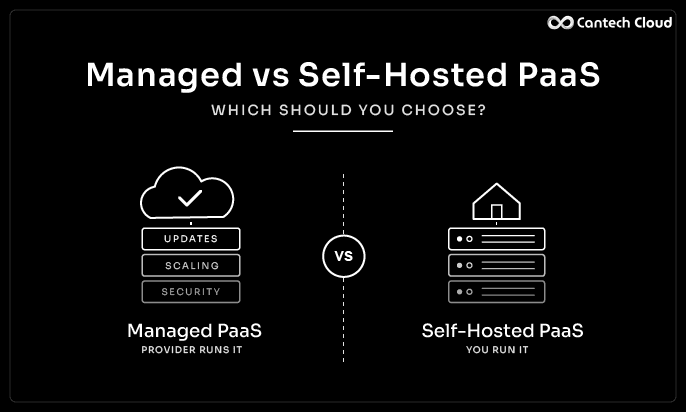
Sometimes the honest answer is that another model fits better. A VPS or dedicated server can be great for custom or steady workloads. We compare them in our posts on PaaS vs VPS and PaaS vs dedicated servers. If you are choosing between a managed and a self-run platform, read managed vs self-hosted PaaS.
Features to Look For
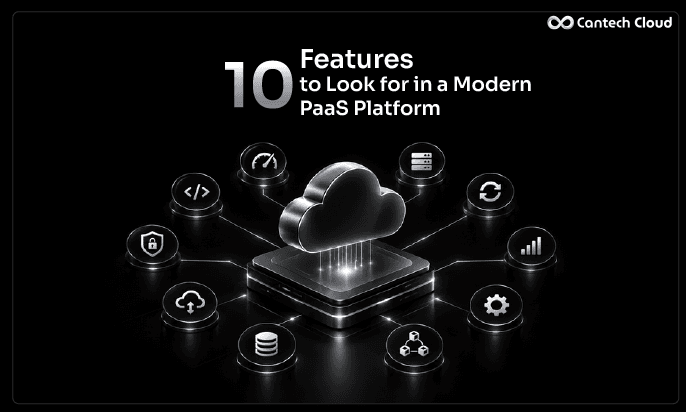
Once you know your needs, use our checklist of 10 features to look for in a PaaS platform to compare providers side by side.
Common Mistakes to Avoid
- Choosing only by the lowest price
- Ignoring support quality until something breaks
- Not checking database and storage options
- Skipping a trial
- Forgetting about the exit plan
CANTECH CLOUD PAAS
Comparing Platforms? Let Us Make It Easy
Share your stack and goals, and our experts will show you how our PaaS fits your project.
Final Thoughts
Choosing a PaaS is easier when you start with your own needs, check the basics, test with a small project and keep an exit plan. Focus on fit rather than flash.
Want to see if our platform fits your project? Explore our PaaS platform or talk to our team.
Frequently Asked Questions
What is the most important thing when choosing a PaaS?
Fit. The platform must support your stack, your database and your growth, and your team must be able to use it comfortably.
Should I choose the cheapest PaaS?
Not by price alone. Consider support, reliability and the time you save.
How long should I test a platform?
Long enough to deploy a real project and see how it behaves. Even a few days of testing helps.
Can I switch PaaS providers later?
Usually yes, but it is easier if your app uses common stacks and you keep your code and data portable.