By now you probably know what PaaS is in general. But you may have also come across the term “managed PaaS” and wondered how it’s different, or if it even is different. Let’s clear that up.
Quick answer: Managed PaaS is a type of Platform as a Service where the provider fully handles the infrastructure, servers, runtime updates, scaling, security, and maintenance, leaving you to focus only on your application code. It’s the opposite of a self-hosted PaaS, where you install and maintain the platform software yourself, even if it saves you from managing raw servers.
In this guide, we’ll explain what managed PaaS actually means, how it works day to day, and how it compares to other options.
What Does “Managed” Actually Mean in PaaS?
The word “PaaS” already implies some level of management, since the whole point is that you don’t manage your own servers. But in practice, there are different levels of “managed” depending on the platform.
Some PaaS tools are self-hosted, meaning you install the platform software yourself on your own server or VPS, and you’re still responsible for keeping that server updated, secure, and running. This gives you more control, but it also means you’re back to doing a lot of the operational work PaaS was supposed to remove.
Managed PaaS removes this extra step entirely. The provider runs the platform for you, on their infrastructure, and takes care of everything from the operating system up to the runtime and scaling. You simply connect your code and build your application.
At Cantech Cloud, our PaaS platform is fully managed in this sense. We handle the servers, the platform software, the scaling, and the security, so your team never has to log in and patch anything.
How Managed PaaS Works Day to Day
Here’s what the day-to-day experience actually looks like once you’re using a managed PaaS platform:
- You connect your code, usually through GitHub, GitLab, or Bitbucket.
- The platform automatically detects your application type, whether it’s PHP, Laravel, Node.js, or another supported stack.
- Your environment is provisioned instantly, without you configuring a single server setting.
- Updates and security patches happen automatically, in the background, without downtime in most cases.
- Scaling happens on its own, adding resources when traffic increases and reducing them when it drops.
- Backups run on a schedule, covering both your application and any connected database.
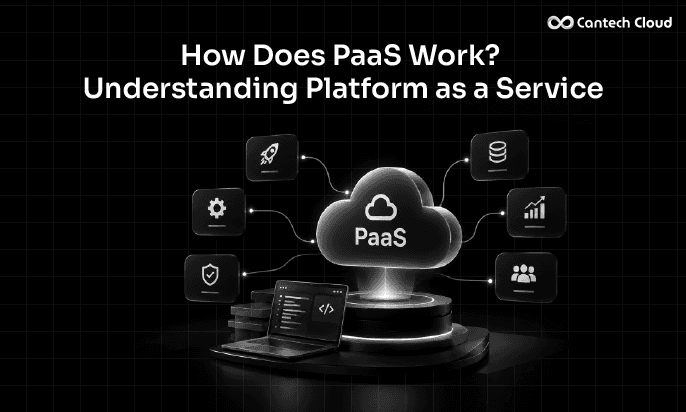
Compare this to a self-hosted setup, where each of these steps would require someone on your team to configure, monitor, and maintain manually. We cover this full technical flow in more detail in our guide on how PaaS works.
Managed PaaS vs Self-Hosted PaaS
| Aspect | Managed PaaS | Self-Hosted PaaS |
| Server maintenance | Handled by provider | Handled by you |
| Security patching | Automatic | Manual |
| Scaling | Automatic | You configure and monitor it |
| Setup time | Minutes | Hours to days |
| Control over infrastructure | Limited | Full |
| Best for | Teams who want to focus on building, not operating | Teams with strong DevOps experience who need maximum control |
Neither option is universally better. Self-hosted PaaS tools can make sense if you have very specific infrastructure requirements or a strong internal DevOps team that enjoys managing servers. Managed PaaS makes sense when you’d rather spend that time and effort building your actual product.
Managed Databases Are a Big Part of Managed PaaS
One of the clearest examples of what “managed” means in practice is the database layer. Instead of installing a database engine yourself, configuring replication, and setting up backups, a managed PaaS platform gives you this as a ready service.
On our platform, this includes managed MySQL hosting, PostgreSQL hosting, MariaDB hosting, and MongoDB hosting, all available from our database page. You connect your application, and we handle backups, updates, and performance tuning in the background.
The same idea applies to storage. Our file storage service, part of our broader storage offering, is managed the same way, so you don’t need to set up or maintain storage infrastructure separately.
Who Should Choose Managed PaaS?
Managed PaaS tends to be the better fit for:
- Startups that need to move fast without hiring a dedicated infrastructure team
- Agencies managing multiple client projects who want a consistent, low-maintenance setup across all of them
- Small to mid-sized businesses that don’t have in-house DevOps expertise
- Enterprise teams that want to reduce the operational load on their engineers, even if they have DevOps staff
If you’re deploying applications like PHP or Laravel projects, a managed PaaS setup like ours gets you from code to a live, secure, scalable application without needing to touch server configuration at any point.
Common Misunderstandings About Managed PaaS
“Managed PaaS means I lose control over my application.” Not true. You still fully control your application code, your database schema, your environment variables, and your deployment process. What you give up is managing the underlying servers, not your application itself.
“Managed PaaS is always more expensive.” This depends on usage. Since managed PaaS typically uses a pay-as-you-use pricing model, it can actually work out more cost-effective than maintaining your own infrastructure, especially once you factor in the time and effort saved on maintenance. You can check our own PaaS pricing to see how this works in practice.
“Managed PaaS isn’t secure because I don’t control the server.” In most cases, the opposite is true. Managed providers apply security patches and monitoring consistently, often faster and more reliably than a small internal team managing it part time alongside other responsibilities.
CANTECH CLOUD PAAS
Let Us Manage the Platform So You Don’t Have To
Servers, patching, scaling and backups, fully handled. You just focus on your application.
Final Thoughts
Managed PaaS takes the idea of Platform as a Service one step further by removing even the responsibility of running the platform software itself. For most businesses and developers, this means less time spent on maintenance and more time spent building the actual product. If you’ve been weighing whether to manage your own platform or let a provider handle it, understanding this difference should make the decision a lot clearer.
Ready to see what fully managed PaaS feels like? Explore our PaaS platform or check our PaaS pricing to find the right plan for your application.
Frequently Asked Questions
Is managed PaaS the same as cloud hosting?
Not exactly. Cloud hosting is a general term. Managed PaaS is a specific service model where the provider handles the full platform, not just the server.
Can I move my existing application to a managed PaaS platform?
Yes, most managed PaaS providers, including Cantech Cloud, offer migration support to help move your application with minimal downtime.
Do I still need a developer if I use managed PaaS?
Yes, managed PaaS removes infrastructure work, not application development. You still need someone to write and maintain your application’s code.
Is managed PaaS suitable for small businesses?
Yes, in fact it’s often a great fit, since it gives small businesses access to enterprise-level infrastructure and security without needing to hire dedicated technical staff.