PaaS is popular, but it is not magic. Some applications fit it very well, and some need a different setup. Knowing the difference saves you time and money.
Quick answer: PaaS is best for web applications, websites, APIs, mobile app backends, SaaS products, e-commerce stores, and apps with changing traffic. These workloads benefit most from automatic scaling, managed databases and fast deployment. Apps that need deep, low level server control may suit a VPS or dedicated server better.
If the term is still new to you, read our guide on what PaaS is first.
What Makes an Application a Good Fit for PaaS?
Before we list examples, here are the signs that an app will do well on PaaS:
- It runs on a common stack such as PHP, Laravel, Node.js or Python
- It uses a standard database such as MySQL, PostgreSQL, MariaDB or MongoDB
- Traffic goes up and down over time
- The team wants to deploy often
- You do not want to hire someone just to manage servers
If most of these sound like your project, PaaS is worth a serious look.
Types of Applications That Work Well on PaaS
1. Web applications and websites
Business sites, portals, dashboards and content driven sites are a natural match. On our application hosting page you can see the environments we support. If your site runs on PHP, our PHP hosting is built for it.
2. Laravel and framework based apps
Modern frameworks need the right PHP version, extensions and tools. Our Laravel hosting gives Laravel projects a ready environment so you can deploy without building the server yourself.
3. APIs and backends for mobile apps
Mobile apps depend on a backend that must stay available. PaaS helps because you can scale the API when many users log in at once and scale it down later.
4. SaaS products
If you are building software that customers subscribe to, you will deploy often and grow in steps. PaaS supports quick releases and managed databases, which suits young products well.
5. E-commerce stores
Online stores see sudden spikes during sales and festivals. Automatic scaling helps the store stay responsive, and managed databases keep order data safe and organised.
6. Database backed applications
Many apps are really a front end on top of data. With our managed databases, including MySQL hosting, PostgreSQL hosting, MariaDB hosting and MongoDB hosting, the data layer is handled for you.
7. Apps that handle files and media
Apps that store uploads, documents or images need reliable storage. Our file storage and wider storage services connect to the same platform.
8. Microservices and multi service apps
When an app is split into smaller services, a platform that deploys and scales each part separately can make life easier. For container heavy setups, you may also like our explainer on a Kubernetes cluster.
9. Prototypes, MVPs and test projects
When you are testing an idea, speed matters. PaaS lets you launch quickly and avoid long setup, so you can learn from real users sooner.
10. Internal business tools
Admin panels, reporting tools and workflow apps do not need a big infrastructure team. A managed platform keeps them running with little upkeep.
Applications That May Need a Different Setup
Honesty matters here, because the right choice is the one that fits your project. These cases may suit another model better:
- Apps that need custom kernel settings or special system software
- Workloads with very steady, predictable resource use where a fixed server can be cost effective
- Legacy software built for a specific server setup
- Projects with strict rules about exactly where and how infrastructure is configured
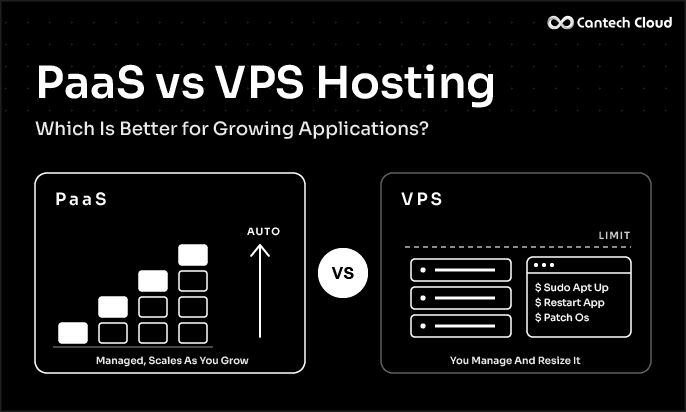
For these, a VPS, a bare metal style setup or a dedicated server can be the better pick. Many businesses use both. We compare the two approaches in our guide on PaaS vs VPS hosting.
A Quick Checklist Before You Choose
Ask yourself:
- Does my stack match what the platform supports?
- Will my traffic change over time?
- Do I want to deploy often?
- Do I want the provider to handle patching and scaling?
- Does my budget fit a pay as you use style plan?
You can check our PaaS pricing to see how plans work.
CANTECH CLOUD PAAS
Not Sure Your App Fits PaaS? Ask Our Experts
Tell us your stack and traffic, and we will help you pick the right setup for your application.
Final Thoughts
PaaS is best for apps that are built on common stacks, change in traffic and need to move fast. Web apps, APIs, SaaS products and stores are the most common examples. If your project needs deep server control, other hosting models are still a good choice.
Want to see if your application fits? Explore our PaaS platform or talk to our team.
Frequently Asked Questions
Can I run a WordPress site on PaaS? WordPress runs on PHP and a database, so it can fit a PaaS environment. Check the application options on our application page for what is supported.
Is PaaS good for small projects? Yes. Small projects benefit because there is no heavy setup, and you can grow later.
Is PaaS good for large applications? Yes, if the platform scales well and supports your stack. Many production apps run on PaaS.
What if my app needs special software on the server? Then check whether the platform allows it. If not, a VPS or dedicated server may be a better fit.