A test project and a production application are very different things. A test app can go down for an hour and nobody minds. A production app has real users, real data and real money attached. Before you move one onto a PaaS platform, you need a stricter way of judging it.
Quick answer: To evaluate PaaS for production, check seven areas: safe releases and rollbacks, scaling under real load, reliability and recovery, security and access control, monitoring and alerts, support when things break, and an exit plan. Then run a pilot with a copy of your real app before you move live traffic.
New to PaaS? Start with our guide on what PaaS is.
What Makes Production Different?
Production means other people depend on your app. That raises the bar in a few ways:
- Downtime has a real cost
- Data loss can hurt customers and your reputation
- Security mistakes can become legal problems
- Releases must be safe, because mistakes are visible
- Problems must be found and fixed fast
A platform that is perfect for a hobby site may be risky for a business app. The checks below help you tell the difference.
The 7-Part Production Readiness Review
1. Safe releases and rollbacks
In production, every release is a risk. Look for a platform that makes releases calm.
Ask:
- Can I deploy without downtime?
- Can I roll back to a previous version in minutes?
- Is there a staging environment that matches production?
- Can I deploy automatically from Git with a clear history?
Why it matters: The best release process is the one that lets you undo mistakes quickly. To see how code reaches a live app, read our guide on how PaaS works.
2. Scaling under real load
Production traffic is rarely smooth. Check that the platform can handle your busiest day, not just an average one.
Ask:
- What scales automatically and what needs my action?
- How fast does extra capacity arrive?
- How does my database scale?
- What happens to cost when traffic jumps?
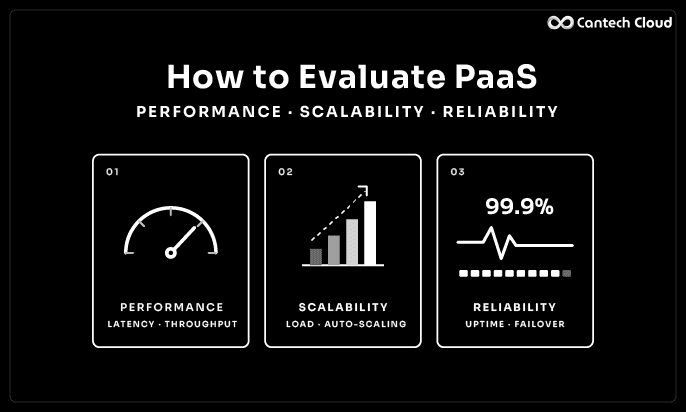
Our guide on evaluating PaaS performance, scalability and reliability shows you how to test this step by step.
3. Reliability and recovery
Things will fail one day. What matters is how fast you recover.
Ask:
- What uptime is promised in writing, and how is it measured?
- What redundancy protects against server or data centre problems?
- How often are backups made, and how long does a restore take?
- Is there a public status page and incident history?
Tip: Do not just read the backup policy. Restore a backup during your pilot and time it.
4. Security and access control
Production apps hold real data, so the review must be stricter.
Ask:
- Is data encrypted in transit and at rest?
- Do you support role based access and multi-factor login?
- How are secrets and passwords stored?
- Where is my data stored?
- What compliance documents can you share?
Read our PaaS security checklist for the full 12-point review.
5. Monitoring and alerts
You cannot fix what you cannot see. Production needs good visibility.
Ask:
- Can I see response time, errors, CPU and memory?
- Can I read logs easily?
- Can I set alerts for problems?
- Can I connect my own monitoring tools?
Why it matters: A platform with weak monitoring turns every incident into guesswork. For a look at how the layers behind monitoring fit together, see our guide on PaaS architecture.
6. Support when things break
Support matters most at the worst time. Production support is different from general support.
Ask:
- How do I reach a real person in an emergency?
- What are the typical response times?
- Is there help with migration and setup?
- Can I speak to someone who understands my stack?
Test it. Raise a small ticket during your pilot and see how the team responds.
7. Exit plan and flexibility
Even if you love a platform today, you should be able to leave.
Ask:
- Can I export my code and data any time?
- Am I tied to special tools?
- What does cost look like as I grow?
- What happens to my data after I leave?
You can see how our plans work on the PaaS pricing page.
Production Readiness Scorecard
| Area | What to confirm | Ready? |
| Releases | Zero downtime deploys, rollback, staging | Yes or no |
| Scaling | Tested at your peak load | Yes or no |
| Reliability | Written uptime terms, redundancy, tested restore | Yes or no |
| Security | Encryption, access control, secrets, data location | Yes or no |
| Monitoring | Metrics, logs, alerts | Yes or no |
| Support | Tested response, migration help | Yes or no |
| Exit | Export process, clear costs | Yes or no |
If more than one or two rows say no, pause before moving live traffic.
Check Your Stack and Data Layer
Production apps depend on their data. Check that the platform supports your language and framework, such as PHP hosting or Laravel hosting, and see the wider list on our application hosting page.
Then check your database. Our managed databases include MySQL hosting, PostgreSQL hosting, MariaDB hosting and MongoDB hosting. If your app stores uploads or media, check our file storage and storage services too.
How to Run a Pilot
A pilot is the safest way to judge a platform for production.
- Copy your real app and data. Remove or mask sensitive data if needed.
- Deploy it on the platform. Note how easy this is.
- Run it for at least a week. Watch metrics and logs.
- Test a release and a rollback.
- Apply extra load. See how scaling behaves.
- Restore a backup. Time it.
- Raise a support ticket. See how fast and how well it is handled.
- Review the results against the scorecard.
Only then should you move live traffic, and ideally in steps rather than all at once.
A Real-World Example
Think of a company running a customer portal on Laravel, with a MySQL database and a few thousand daily users. They want to move to a managed platform to reduce maintenance. They build a staging copy and run a two week pilot.
During the pilot they find two things. Deployments are smooth and rollbacks take minutes, which is a big win. But their first load test shows the database slows down at about three times normal traffic. Because they found this early, they work with the provider’s team to choose a larger database plan and add caching. They then restore a backup, confirm the time is acceptable and move users over in stages.
Nothing dramatic happened on launch day. That is the goal of a good evaluation.
Is PaaS Right for Every Production App?
Not always. Some production workloads need deep server control, special software or very steady heavy use. In those cases a dedicated server or VPS can be the better choice, and many businesses run both. Read our posts on PaaS vs dedicated servers and PaaS vs VPS to compare.
Common Mistakes
- Moving production without a pilot
- Skipping a rollback test
- Never restoring a backup
- Ignoring database scaling
- Trusting an uptime number without reading the terms
- Moving all traffic in one step
Where to Go Next
If you are still choosing between providers, use our PaaS provider checklist of 15 questions and our guide on how to choose a PaaS platform.
CANTECH CLOUD PAAS
Planning a Production Move? Let’s Plan the Pilot Together
Talk to our experts about your app, traffic and goals, and we will help you move step by step.
Final Thoughts
Production is where small shortcuts become big problems. A calm, step by step evaluation protects your users and your team. Use the seven checks, run a real pilot and move in stages. When launch day is boring, you did it right.
Want to plan a pilot on our platform? Explore our PaaS platform or speak to our team.
Frequently Asked Questions
Is PaaS good for production applications?
Yes, many production apps run on PaaS. The key is choosing a platform that is reliable, secure and scalable, and testing it before you go live.
What should I check before moving a live app to PaaS?
Check releases and rollbacks, scaling, reliability and recovery, security, monitoring, support and exit options.
How long should a production pilot last?
At least a week or two, long enough to see real behaviour, test a release, apply load and restore a backup.
Do I need a staging environment?
It is strongly recommended. It lets you test releases safely before they reach users.
Should I move all traffic at once?
Usually not. Moving in steps reduces risk and gives you time to react.
Can I move back if PaaS does not work out?
Usually yes, if you keep your code and data portable and confirm the export process before you start.