Almost every cloud provider has a page that promises high uptime. Most buyers glance at the big number and move on. That is a mistake, because the small print decides what the promise is really worth on the day something breaks.
Quick answer: A PaaS SLA (Service Level Agreement) is a written promise about how available a platform will be, and what the provider will do if it falls short. Before choosing a provider, check what the uptime number covers, how it is measured, what is excluded, how credits work, how and when you must claim, and whether your own software is covered. The details matter more than the percentage.
New to PaaS? Start with our guide on what is PaaS.
What Is a PaaS SLA?
An SLA is a written agreement between you and your provider. It usually says:
- What the provider promises, such as 99.9 percent uptime
- How that promise is measured
- What you receive if the promise is broken, often service credits
- What is not covered
It is not a guarantee that nothing will ever go down. Every platform has outages sometimes. The SLA tells you how the provider will be held to account when that happens.
Why the SLA Matters for Your Business
If your app earns money, every minute offline has a cost. An SLA helps you in three ways:
- It sets expectations. You know the target level of availability.
- It gives you a remedy. You know what you can claim if the target is missed.
- It shows how serious the provider is. Clear, fair terms are a sign of confidence. Vague terms are a warning.
What Do the Uptime Percentages Really Mean?
Uptime numbers look similar, but the gap between them is large. This table shows the maximum downtime each level allows.
| Uptime promise | Downtime allowed per 30 day month | Downtime allowed per year |
| 99% | About 7.2 hours | About 3.65 days |
| 99.9% | About 43 minutes | About 8.8 hours |
| 99.95% | About 22 minutes | About 4.4 hours |
| 99.99% | About 4 minutes | About 53 minutes |
So when you see 99.9 percent, think of roughly 43 minutes a month. That may be fine for a blog and not fine for an online store during a sale. Match the number to what downtime would cost you.
10 Things to Check in a PaaS SLA
1. What exactly is covered?
Some SLAs cover only network and power. Others also cover the control panel, the platform itself or the database service. Find out which parts of your setup the promise applies to.
2. How is uptime measured?
Ask who measures it, over what period and with what tool. A monthly measure is stricter than a yearly one, because a bad month cannot hide inside a good year.
3. What is excluded?
Almost every SLA excludes planned maintenance, events outside the provider’s control and problems caused by the customer. These exclusions are normal. Check that they are reasonable and clearly written.
4. Does it cover your software?
This is the point many teams miss. A platform SLA usually covers infrastructure, not your own application code. If your app crashes because of a bug, that is not a platform outage.
5. What do you get if the promise is broken?
Most providers offer service credits rather than cash. Check how much credit you receive for how much downtime, and whether there is a cap, such as the monthly fee for the affected service.
6. How and when do you claim?
Many SLAs require you to file a claim within a set number of days. Miss the deadline and you may lose the credit. Ask where to send claims and how long approval takes.
7. When does the clock start?
Some SLAs count downtime from the moment you open a support ticket, not from when the problem started. That can change the result a lot. Read this part carefully.
8. Who is the SLA with?
If you buy through a reseller, the SLA may not apply to you directly. Check that the agreement is with the actual provider.
9. Is there a separate promise for hardware?
Some providers add a hardware SLA that covers failed equipment. Ask how it works and when it starts counting.
10. What about support and communication?
An SLA about uptime is not the same as a promise about support response. Ask separately how fast the team replies, and whether there is a public status page that explains incidents.
Reading Our Own SLA as an Example
We believe in showing our own terms plainly, so here is how to read the Cantech Cloud SLA page using the checklist above. Please read the live page for the current wording, since terms can change.
- Promise: a 99.9 percent monthly network and power uptime.
- What it covers: four parts, which are global internet connectivity, private network connectivity, power, and access to the client control panel. It covers access to the panel, not every function inside it.
- Credits: service credits are applied to future billing and are not paid out as cash. Network and power downtime earns a credit by the length of the outage, and a separate hardware SLA applies to hardware failures.
- Claims: claims go through the sales team and must be made within seven days.
- Exclusions: scheduled maintenance, carrier outages outside our network and events outside our control are not eligible. Software is not part of the SLA.
Notice how many of the ten points this answers in plain language. When you compare providers, look for the same clarity.
A Real-World Example
Imagine an online store on a managed platform with a 99.9 percent SLA. On a Saturday evening the site goes down for 25 minutes. The owner assumes they can claim a credit.
They check the cause. One day it turns out to be a network issue on the provider side. That is covered, so they file a claim within the deadline and receive a credit. Another day, the site goes down because a new plugin crashed the app. That is a software problem, so no SLA credit applies, even though the site was offline.
The lesson is simple. The SLA protects you from platform failures, not from your own code. To protect against the second kind, you need testing, monitoring and a safe release process. Our guide on PaaS for production applications explains how.
Red Flags in an SLA
- A high uptime number with long lists of vague exclusions
- No clear way to claim, or very short claim windows with no reminders
- Credits that are too small to matter, or no credits at all
- Terms that can change with no notice and no record of earlier versions
- No public status page or incident history
- Promises on a website that do not appear in the written agreement
How to Compare SLAs Fairly
- Put each provider’s promise in one table.
- Compare the same items: coverage, measurement, exclusions, credits, claim process.
- Convert uptime numbers into minutes per month so they are easy to feel.
- Ask for answers in writing.
- Weigh the SLA together with real tests, not instead of them.
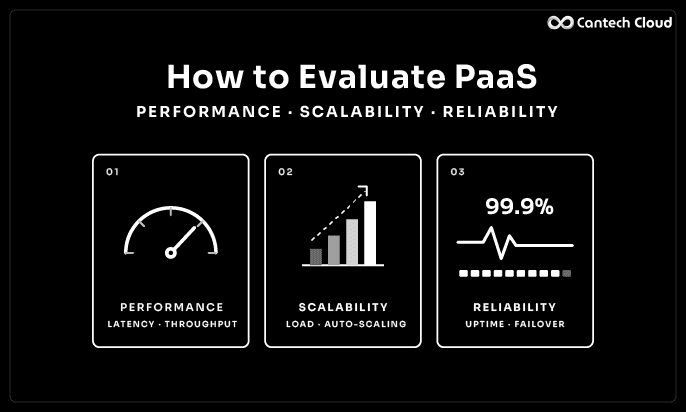
Our guide on how to evaluate PaaS performance, scalability and reliability shows how to test reliability yourself, and our PaaS provider checklist lists 15 questions to send to providers, including one on uptime terms.
An SLA Is Not Your Whole Reliability Plan
Even the best SLA only pays credits after something goes wrong. To keep your app running, you also need to:
- Back up your data and test a restore
- Monitor response time and errors
- Use staging before every release
- Keep your application updated
- Have a simple plan for what to do in an incident
For the security side of the same picture, read our PaaS security checklist.
Where Our Platform Fits
Our PaaS platform gives you application hosting, managed databases and storage in one place. You can see how our plans work on the PaaS pricing page, and our team is happy to walk you through the SLA and answer questions before you decide.
CANTECH CLOUD PAAS
Questions About Uptime? Ask Our Experts
We will walk you through our SLA in plain words so you know exactly what is covered before you decide.
Final Thoughts
A PaaS SLA is one of the few written promises a provider makes. Read it like a contract, not a slogan. Convert the percentage into minutes, check what is covered and excluded, understand how credits and claims work, and remember that your own software sits outside it.
Want to talk through our SLA or your uptime needs? Explore our PaaS platform or speak to our team.
Frequently Asked Questions
What is an SLA in PaaS?
It is a written agreement that states the availability a provider promises, how it is measured and what you receive if the promise is missed.
What is a good uptime SLA?
It depends on your business. 99.9 percent allows about 43 minutes of downtime a month, while 99.99 percent allows about 4 minutes. Choose based on what downtime costs you.
Does an SLA mean my app will never go down?
No. It is a promise with a remedy, not a guarantee. Outages can still happen.
Do SLA credits cover my lost sales?
Usually not. Credits are typically limited to the cost of the affected service and are applied to future bills.
Does the SLA cover my own application bugs?
Usually not. Platform SLAs cover infrastructure, and your code is your responsibility.
How do I claim SLA credit?
Follow the provider’s claim process and deadline. Many require a claim within a few days of the outage.
Should I choose a provider only by its SLA?
No. Use the SLA together with testing, support quality, security and your own needs.