A cloud VM and a PaaS platform can both run your application in the cloud. From the outside they look similar. Underneath, they ask very different things from you.
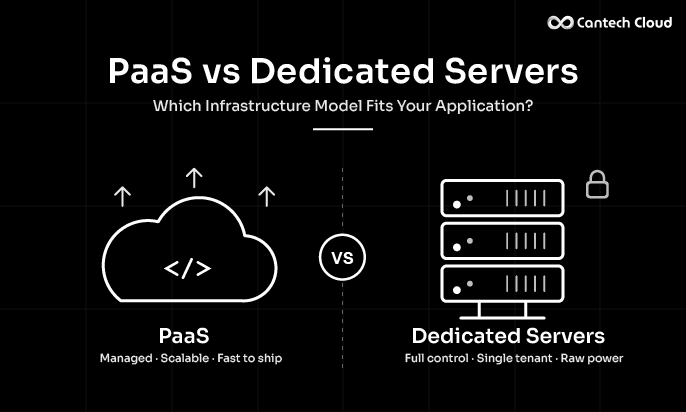
Quick answer: A cloud VM (virtual machine) is a virtual server you set up and manage yourself, including the operating system, software, updates and security. PaaS is a managed platform where the provider handles those things, and you only manage your application and data. A VM gives more control. PaaS gives more convenience.
If PaaS is new to you, start with our guide on what PaaS is.
What Is a Cloud VM?
A cloud VM is a virtual computer that runs on a provider’s hardware. You choose the size, such as CPU and memory, pick an operating system and then install what you need. It behaves like a normal server that you can log in to.
Good things about a cloud VM:
- Full control over the operating system and software
- Freedom to install custom tools
- Works for almost any kind of workload
- Familiar to anyone who has managed servers
You can explore our cloud servers on our cloud compute page.
What Is PaaS?
PaaS is a ready platform for building and running applications. The provider manages the servers, operating system, runtime, patching and scaling. You push your code, connect a database and your app goes live.
Our PaaS platform works this way, and you can see the process in our guide on how PaaS works.
An Easy Way to Picture It
A cloud VM is like renting an empty flat. You get the space and you bring the furniture, set it up and keep it clean. PaaS is like renting a furnished flat with housekeeping. You just move in and live your life.
PaaS vs Cloud VM: Side by Side
| Feature | Cloud VM | PaaS |
| What you get | A virtual server | A managed application platform |
| Operating system | You install and update it | Managed by the provider |
| Runtime and software | You install and configure | Provided and kept updated |
| Security patching | Done by you | Handled by the platform |
| Scaling | Usually manual or set up by you | Can be automatic |
| Deployment | You build the process | Often built in |
| Databases | You install and maintain | Managed options available |
| Control | Very high | Moderate |
| Skills needed | Server administration | Mostly application development |
| Best for | Custom setups and special software | Fast, low maintenance app delivery |
Key Differences in Everyday Work
Setup
With a VM you create the server, install the operating system tools, set up the web server and runtime, secure it and then deploy. With PaaS you connect your code and the environment is prepared for you.
Updates and security
On a VM, updates and security fixes are your job. Skipping them can create risk. On PaaS, the platform handles most of this in the background, though you still need to write secure application code.
Scaling
A VM has fixed resources. When traffic grows, you resize it or add more servers and a load balancer. PaaS is designed to add and remove resources as demand changes.
Databases and storage
On a VM you install and look after the database yourself. On our PaaS, managed databases can handle much of that work, with options such as MySQL hosting, PostgreSQL hosting, MariaDB hosting and MongoDB hosting. For files, see our file storage and storage services.
Cost and time
A VM can be a good value if you already have the skills to run it. PaaS can save team time because there is less to maintain. Compare plans on our PaaS pricing page, and think about the hours your team spends on upkeep, not just the monthly bill.
When a Cloud VM Is the Better Choice
- You need custom software or system settings
- You want full control over the environment
- You have people who can manage servers
- Your app does not fit common platform stacks
- You want to run several different tools on one machine
When PaaS Is the Better Choice
- You want to launch fast
- You prefer to focus on features, not servers
- You do not have a server administrator
- You deploy updates often
- You run a stack such as PHP or Laravel
Where Does This Fit in the Bigger Picture?
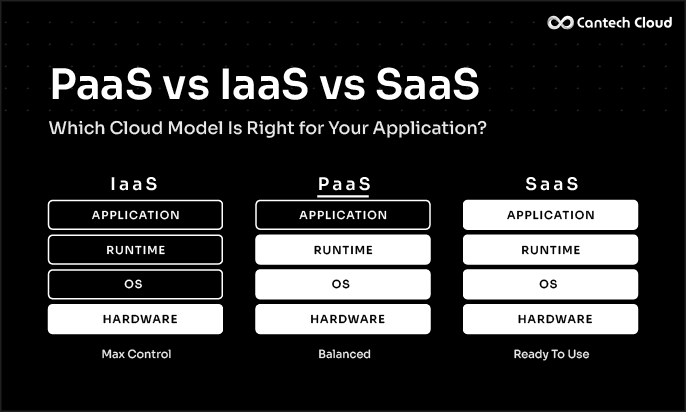
A cloud VM is a classic example of IaaS, while PaaS sits one step higher. We explain all three models in our guide on PaaS vs IaaS vs SaaS. If you are comparing PaaS with a VPS, read our post on PaaS vs VPS hosting.
Can You Use Both?
Yes. Many teams run the main application on PaaS and keep special workloads on cloud VMs. It is also common to start on a VM and move to PaaS later when maintenance starts to take too much time.
CANTECH CLOUD PAAS
Skip the Server Setup and Go Live Faster
See how our PaaS handles servers, updates and scaling so your team can focus on the application.
Final Thoughts
The main difference is who does the server work. With a cloud VM, you do. With PaaS, the provider does. If you want control, choose a VM. If you want speed and less upkeep, choose PaaS.
Want to see it in action? Explore our PaaS platform or talk to our team.
Frequently Asked Questions
Is a cloud VM the same as a VPS? They are very similar. Both give you a virtual server that you manage. The names often depend on the provider.
Is PaaS better than a cloud VM? Not always. PaaS is easier and faster for many apps. A VM is better when you need deep control.
Do I need server skills for PaaS? Much less than for a VM. PaaS removes most server tasks, but you still need to build and maintain your application.
Can I move from a cloud VM to PaaS? Yes. Plan the move carefully, including data, settings and any custom software.